Connect now
All work

Food & Gifting · D2C E-commerceBarfi Republic

Every sweet has a story.

Concept Contemporary Indian mithai brand from Mumbai: twenty small-batch sweets in five collections, gift boxes and festival gifting, shipped to 40+ countries

The brief

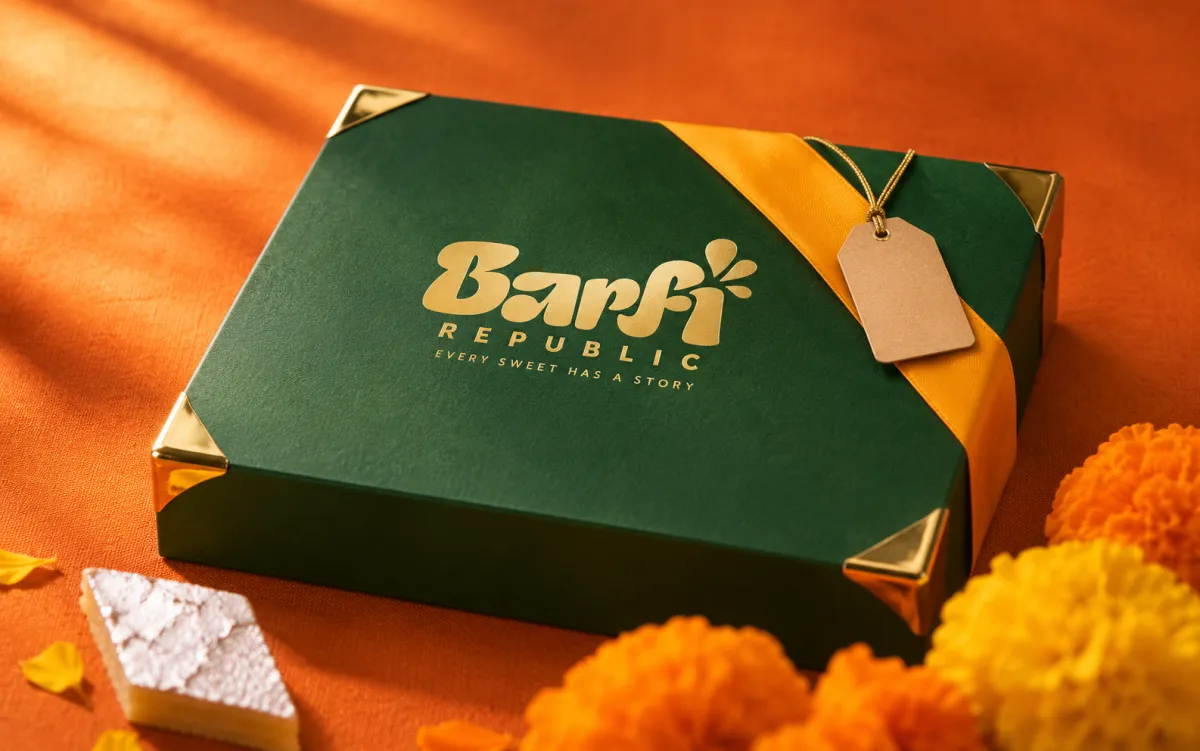
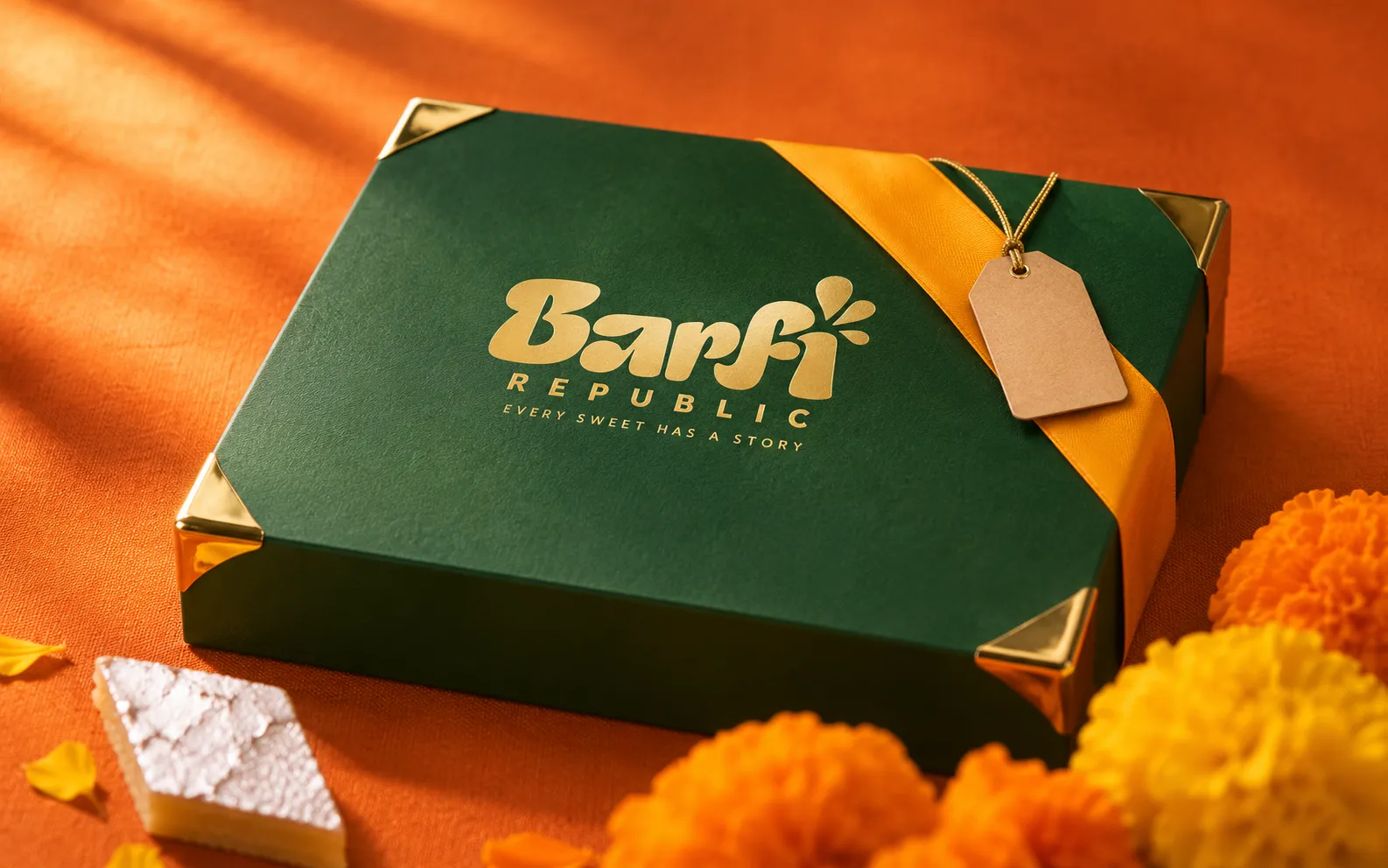
Barfi Republic is a contemporary Indian mithai brand with a kitchen story set in Lower Parel, Mumbai. It makes twenty sweets in five collections, packs them in rigid boxes with mirror-gold corners and ships them to more than forty countries. Its buyers are mostly gift givers: Indians abroad sending a taste of home, families marking a festival and companies sending boxes to clients. They need to choose quickly, trust what is inside and send it anywhere, so the store had to feel festive and special while being completely clear about ingredients, prices and delivery.
View concept Live PageSpeed
Barfi Republic — home page
Nothing hidden. Every sweet has a story.
The idea the whole store is built around

In numbers

sweets, each with its own story page
20
compartments in the build-your-own box
5
festivals on the gifting timeline
8
countries, with prices in local currency
40+
01

What: twenty small-batch mithai in five collections, ready-made and build-your-own gift boxes, festival and corporate gifting

02

How: pure cow ghee, real saffron, no preservatives and every ingredient printed with its percentage and origin

03

Who: Indians abroad, festival gift givers and companies sending boxes to teams and clients in 40+ countries

Interactions

01

Load

Silver leaf that tears away

The store opens under a full screen of silver vark, the thin edible silver leaf that sits on kaju katli, with the logo and a progress line on top. The leaf is lit in WebGL with real texture, so light moves across its creases. When the page is ready it shivers, then tears into uneven shards: tiny flakes near a few tear points and broad, ragged pieces further away. Each piece curls, flips and catches the light on its torn edge as a gust carries it off the screen, heavy pieces slower than light ones. On inner pages it plays once per visit and is skipped after that, so browsing stays quick.

Vark is the most precious detail on Indian sweets, so the first thing a visitor sees is that detail being lifted away to reveal the store.

02

Load · Click · Swipe

A hero that feels like a shop window

Five signature sweets take turns in the hero, each with its own scene and a line about what is underneath: pure cashew, a ribbon of rose, slow-browned khoya, coconut and jaggery, ten thousand pearls. Scenes crossfade with a slow drift, and a rail of five products along the bottom shows a progress bar filling on the one in view. Visitors can click any item, use the arrows or arrow keys, swipe on a phone or pause it.

Each sweet gets a moment on its own, the way a good shop window shows one thing at a time.

03

Scroll

Scroll to open the box

The festive box sits closed on screen with its gold-cornered lid. As the visitor scrolls, the lid lifts straight up and away with a slight tilt, never fading over the tray, and the five compartments fill one at a time with kaju katli, motichoor laddoo, rose barfi, modak and Mysore Pak. Scroll back up and the box closes again. On phones and tablets the lid lifts by itself when the box comes into view.

Opening a box of mithai is the best moment of the gift, so the site lets visitors feel it before they buy.

04

Hover

Today's rate board

All twenty sweets are listed in five columns like the price board of an old mithai shop, with dotted leaders, badges such as Bestseller, New and Winter only, and prices in the visitor's currency. As the cursor moves down the rows, a photo card of each sweet follows it smoothly with its name and price. The same board is also a view on the shop page.

Returning customers want the whole counter at a glance, and the floating photo keeps it visual without breaking the list.

05

Click · Keyboard

A festival for every month

A timeline runs from Christmas through Makar Sankranti, Valentine's, Eid, Holi, Raksha Bandhan and Ganesh Chaturthi to Diwali. Choosing one crossfades the scene image, softly swaps the headline, copy and delivery note, and shows three gift picks with prices and add buttons. The timeline opens on the next festival based on today's date and can be moved with arrow keys.

Most mithai is bought for an occasion, so the store always leads with the one coming up next.

06

Click · Mouse move

Light up the table

The Diwali section shows a festive table in the dark. Three diyas are already lit, the cursor carries its own small glow, and every click places a new diya that cuts a flickering pool of warm light out of the darkness. A row of lamps counts the progress, and a 'light one for me' button helps anyone in a hurry. At five diyas the whole table lights up and the Festive Box unlocks with a one-click add.

A small game that ends in a real offer makes the festive box feel earned rather than pushed.

07

Drag · Click

Build your own box

The gifting page shows the open gold-cornered box with five compartments: one large hero compartment and four smaller ones. Visitors drag any of the twenty sweets into a compartment, or tap to drop them in order, and the compartment fills with photos of that sweet. Each one can be removed, the progress bar and total update live, and a card message can be added. 'Close the box & add' puts the finished box in the cart.

Choosing the five sweets is the personal part of the gift, so it should feel like packing a real box.

08

Scroll · Hover

A label you can read

Every product page has a 'What's inside' section where the recipe is drawn as one bar split into exact percentages, such as cashew 52%, sugar 38%, pistachio 6%, ghee 3% and cardamom 1%. The bar grows into place on scroll, and hovering each part shows where that ingredient comes from. The printed label, shelf life, storage, allergens and FSSAI licence sit beside it.

Buyers abroad cannot ask the shopkeeper, so the label does the talking, honestly and to the percent.

09

Hover · Click · Scroll

A product page made for gifting

The gallery shows the sweet, its gift box and its label. A round lens follows the cursor and magnifies the photo 2.6 times, a click opens it full screen, and thumbnails crossfade the main image. Pack sizes and quantity update every price on the page at once, 'Add to a gift box' opens the builder with this sweet in the first compartment, and a slim add-to-cart bar slides up once the main button scrolls away. Below sit how to serve, delivery, allergens, the box and 'pairs well with' suggestions.

A gift has to look perfect up close, so the page lets buyers inspect it like they would at the counter.

10

Click · Keyboard

Nothing hidden, from six corners of India

The ingredients page opens with a switcher: pick a sweet and its photo crossfades while labels such as 'Pure cow ghee · 40%' slide to point at the right part of it, with its ingredient bar below. Further down, a map of India marks where each ingredient comes from: saffron from Pampore, ghee from Anand, Alphonso and coconut from Ratnagiri, cashew from Goa, nolen gur from Nadia and cardamom from Idukki. Each pin opens a card about the place.

Provenance is the brand's proof, so it is shown on a map rather than buried in small print.

11

Click · Hover

A shop that sorts itself

The shop shows all twenty sweets grouped by collection on clean, even grids of square photos. One tap filters for no refined sugar, nut-free, gluten-free recipes, travels six months, chocolatey or under $15, and non-matching sweets fade back while the count updates. Sorting by price or name rearranges each group, a switch turns the grid into the rate board, and every card turns from the sweet to its gift box on hover, with quick size buttons and an add button.

Gift buyers often shop by a need, such as nut-free or long shelf life, so the filters speak that language.

12

Click

A cart that understands gift boxes

The cart drawer slides in from the side with a free-shipping meter. A built gift box shows as one 'Your gift box' line with small photos of its five sweets and the card message, and changing its quantity or removing it changes all of its parts together. Behind the scenes it is real Shopify: each sweet is its own variant and the box shell is its own product, so stock, pricing and orders stay correct, and the card message travels through to the order.

The customer thinks in boxes, not in six separate items, so the cart shows it the way they built it.

13

Click

Prices in your currency

A currency switcher in the header and footer covers USD, INR, GBP, EUR, AED, CAD, AUD and SGD. With Shopify Markets switched on it changes the store's real currency, so checkout charges in it; without it, prices are converted for display across every page, including the finder, rate board, builder and cart. A language switcher in the footer works the same way through Shopify.

A buyer in Dubai or London should see a price they understand before they decide.

We wrote everything down — and then printed it on the box.
The founder's line on the kitchen page

Decisions

01

Reveal first, then clarity

Every big moment is a reveal: silver leaf blowing away, a lid lifting off, light spreading across a dark table. Everything after the reveal is calm, ordered and easy to read.

02

Festive, not fussy

Deep green, cream, saffron and marigold with mirror-gold details. Product grids stay clean and even with square photos, while the story sections use looser, asymmetric layouts.

03

Honest about ingredients

Exact percentages, sources, allergens, shelf life and the FSSAI licence on every product. For a food brand selling across borders, this does more for trust than any badge.

04

Gifting everywhere

The builder, ready-made boxes, the occasions timeline, the Diwali unlock and corporate orders all lead to the same cart, so every route through the store can end in a gift.

Details

  • The preloader's shards are cut from the screen fresh on every visit, with shared torn edges between neighbours so the sheet stays seamless until the gust lifts it
  • The first frame of the preloader is a picture of the lit silver leaf, so the live WebGL leaf fades in over an identical image with no visible swap on slow connections
  • A built gift box is saved in Shopify as the box shell plus its five sweets, grouped by a hidden property, and shown as one line in the drawer and cart
  • Shopify's localisation form drives the currency and language switchers, choosing a sensible country for each currency
  • Products added without photos in the admin still show the brand's own photography from the theme, and the store keeps working
  • Smooth scrolling, the lid animation, counters and the shatter all switch off for reduced motion, and the search, cart and menus trap focus correctly

Development note

One data layer for every feature
The twenty sweets, their flavours, dietary flags, sizes and Shopify variant IDs are loaded once per page, so the finder, filters, search, rate board, builder and cart all read from the same source and always agree on prices.
Heavy on look, light on load
Textures and fonts that were embedded in the original build were moved into cached theme files, scripts load after the page, the WebGL only runs while it is on screen, and every feature still works if WebGL is unavailable.

Built with

Shopify LiquidWebGLCanvas 2DVanilla JSWebP

How it’s built

Shopify (custom Online Store 2.0 theme)

Your platform, your choice

Designed once, built on the platform you sell.

Every design here can be built on the platform your client already uses, and fully working: product pages, cart and checkout, forms, bookings and an editable CMS. Motion and effects are adapted to what each platform supports, so nothing breaks after launch.

  • Shopify (Liquid)
  • WordPress + Elementor
  • Webflow
  • Framer
  • Wix
  • React / Next.js
  • Custom PHP (Folio)
Next case studySTOA CapitalOne firm, four desks, never closed.

Want this level for your client?

White-label or credited. Send the brief and I’ll reply within a day.

Send a brief
Praised by