
Find the right protection in three questions.
Concept Respiratory protection, medical tapes and clinical consumables brand
The brief
tukk makes respiratory protection, medical tapes and clinical consumables under three ranges: tukk Aero, tukk Med and tukk Care. Its buyers are site managers, hospital purchasers and distributors, and none of them want to browse. They want the right product, the right certificate and a price. The site was built to get them there in as few steps as possible.
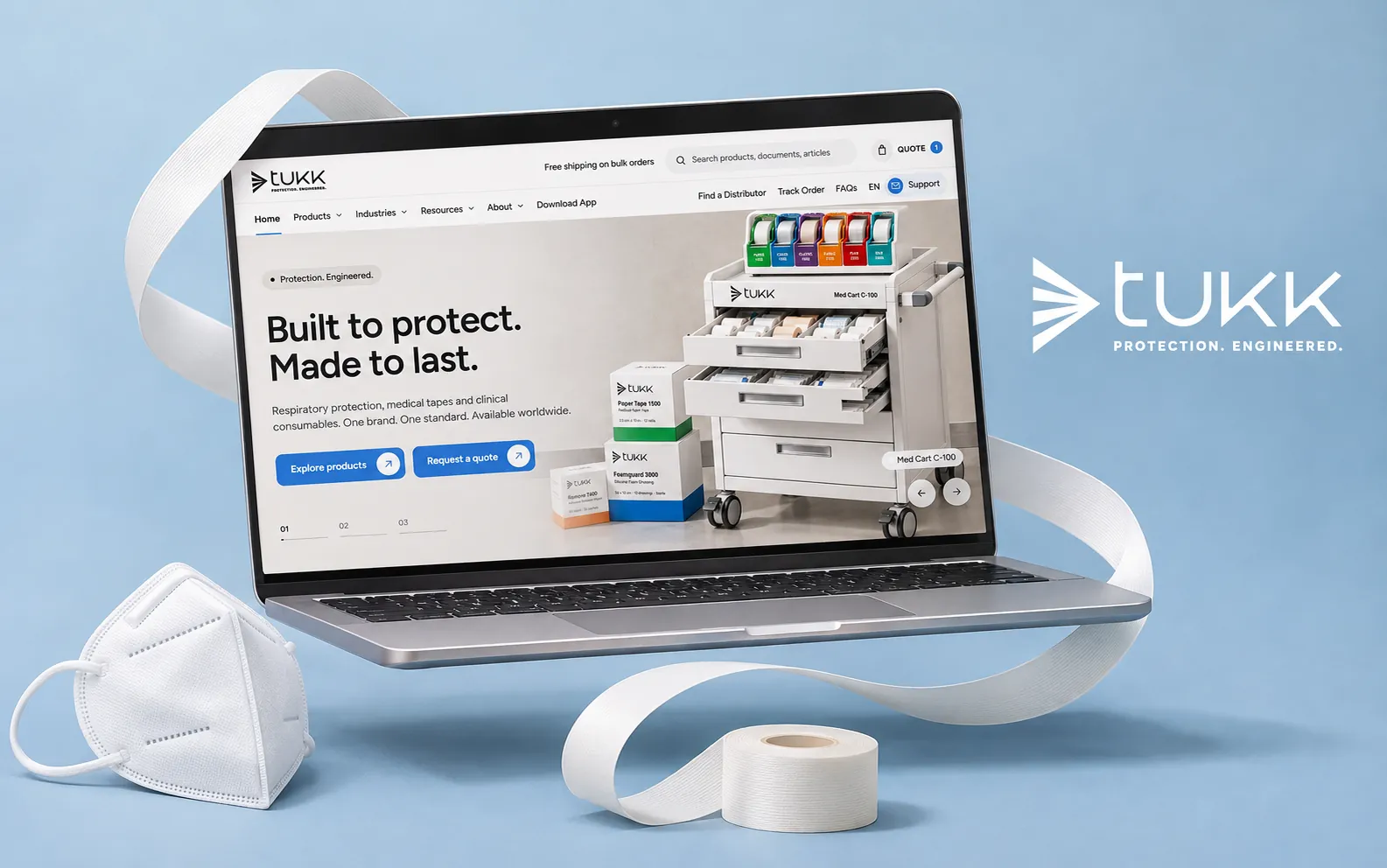
Built to protect. Made to last.
In numbers
- products, each with its own page
- 32
- questions to a respirator recommendation
- 3
- industries with their own recommended products
- 6
- accounts needed to send a quote
- 0
What: respiratory protection, medical tapes and clinical consumables
How: three ranges, one quality standard, certified products
Who: industrial sites, hospitals, clinics, laboratories and distributors
Interactions
Find the right protection for your work.
Decisions
Start from the job, not the product
The selector and the industry tabs let a buyer begin with their hazard or their workplace, because most don't know which mask class they need.
One classification everywhere
The three ranges and their colours are the backbone of the site. Hero, showcase, mega menu, filters and footer all use the same split, so a buyer learns it once.
Quote, not cart
Prices depend on volume, so the site collects a quote list instead of running a checkout. It is faster for the buyer and right for the business.
Light motion for a healthcare brand
Animations stay small and calm: masks, rising words and gentle card arrivals. Nothing that would feel playful next to medical products.
Details
- The mega menu fits one screen and trims its own descriptions on short laptop screens instead of scrolling
- The hero slides wipe in with a CSS mask, not a video, so the first image loads as fast as a photo
- The respirator recommendations come from editable rules, so the client can change them without a developer
- The quote list is stored in the browser, so it survives page changes without an account or a cookie
- Catalogue filters are kept in the address bar, so a filtered list can be shared or bookmarked
- Search opens from anywhere with '/' or Ctrl+K and works fully from the keyboard
- Every animation switches off for visitors who prefer reduced motion
Development note
- No animation library on load
- Every movement on the site is plain CSS triggered by the scroll, so a page with dozens of product images still loads quickly on a phone.
- One product, everywhere
- A product is added once in Studio and appears in the catalogue, the mega menu, search, industry recommendations and the selector, with its documents linked automatically.
Built with
How it’s built
Custom PHP CMS
Your platform, your choice
Designed once, built on the platform you sell.
Every design here can be built on the platform your client already uses, and fully working: product pages, cart and checkout, forms, bookings and an editable CMS. Motion and effects are adapted to what each platform supports, so nothing breaks after launch.
- Shopify (Liquid)
- WordPress + Elementor
- Webflow
- Framer
- Wix
- React / Next.js
- Custom PHP (Folio)
 Next case studyWardleyMeet your doctor. See your room. Book your first visit.
tukk
A product website for tukk, a brand with three ranges: tukk Aero respiratory protection, tukk Med medical tapes and dispensing, and tukk Care clinical consumables. It serves 32 products to industrial sites, hospitals, clinics, laboratories and distributors, and is built to turn a visit into a quote request.
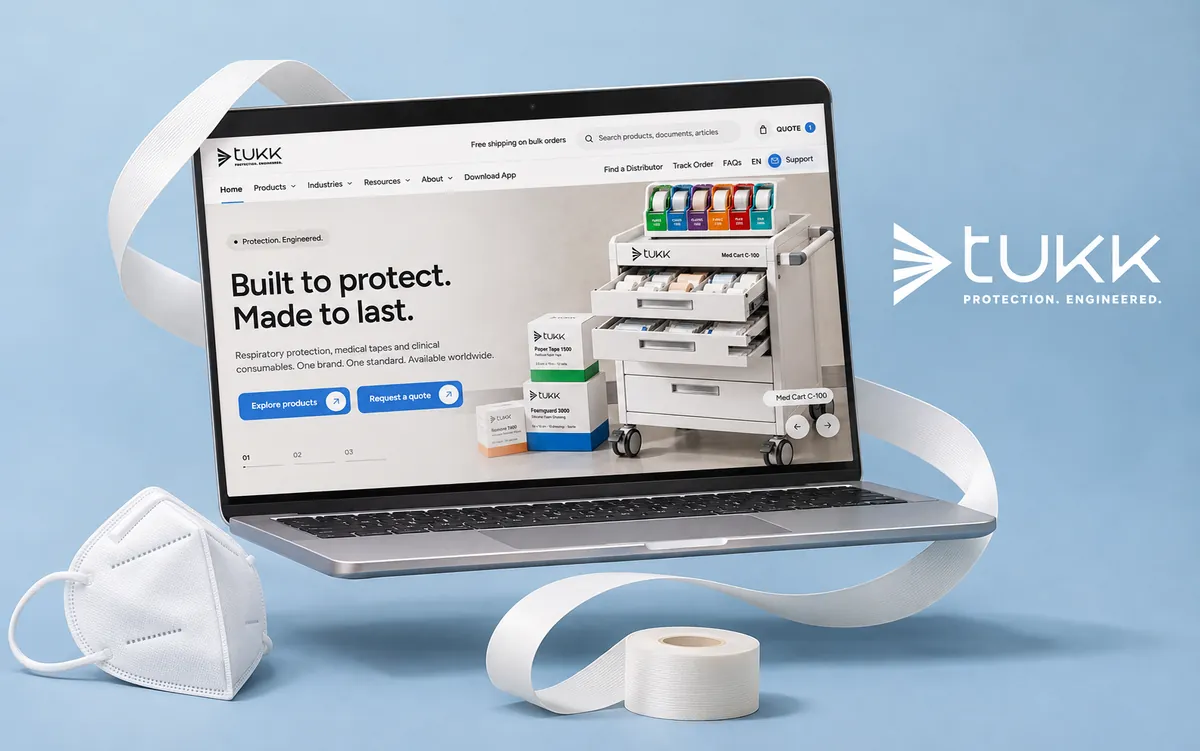
- A three-question respirator selector that recommends the right product for the hazard, wear time and exposure
- A quote list that works across the whole site, with quantities and no account needed
- Six industries, each with its own problem, photo and three recommended products
- A mega menu that shows all three ranges and every product group in one screen
- A searchable document library for certificates, safety data sheets and instructions
- TypeSelf-initiated concept, live on its own domain
What we did differently
Start from the buyer's job, not the product. Most buyers don't know which mask class or tape they need, so the site lets them begin with their workplace or their hazard and leads them to a product. The three ranges and their colours run through every section, so the catalogue stays easy to read. Motion is kept light and calm for a healthcare brand, and every path ends in a quote or a talk with a specialist.
Want this level for your client?
White-label or credited. Send the brief and I’ll reply within a day.